

Stateful Agents
Learn more about building Stateful Agents in Letta
Quick start guide for using Letta Cloud hosted service.
This quickstart will get guide you through creating your first Letta agent. If you’re interested in learning about Letta and how it works, read more here.
Letta Cloud is accessible via https://app.letta.com. If you have access to Letta Cloud, you can use the web platform to create API keys, and create / deploy / monitor agents.
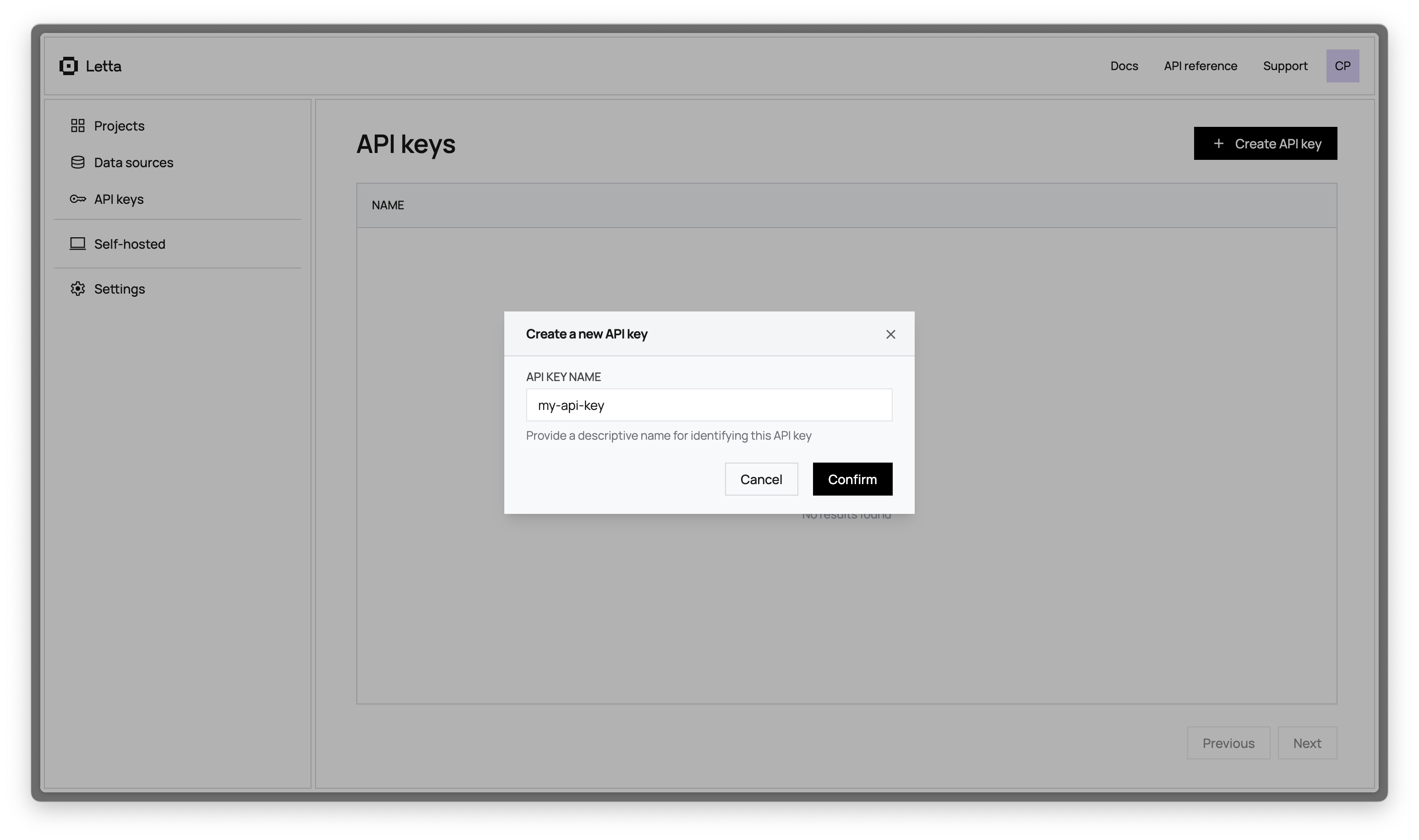
First, you need to create a Letta Cloud API key.
For the rest of the quickstart, we’ll assume your API key is LETTA_API_KEY - you should replace this with your actual API key.
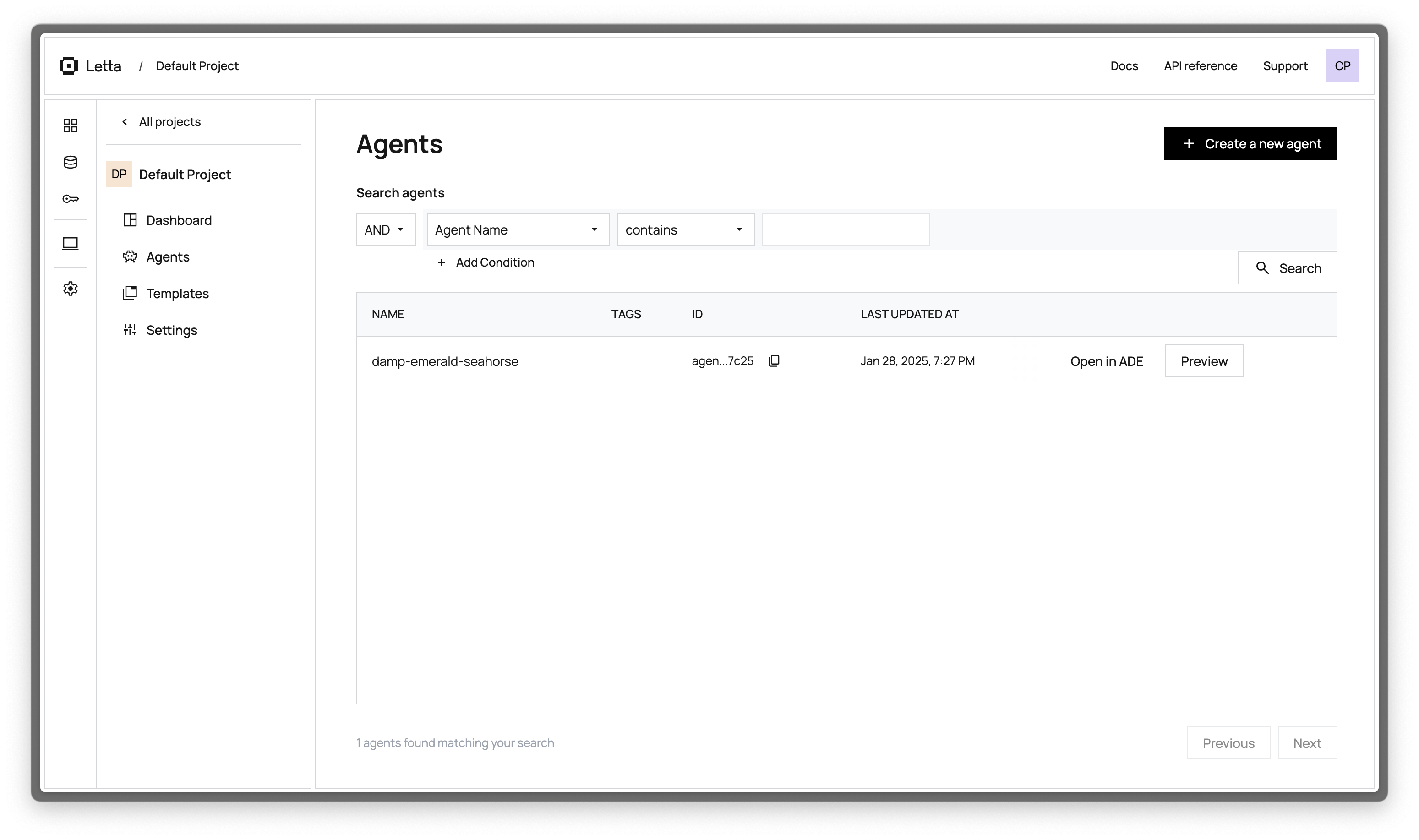
In Letta Cloud, your workspace is organized into projects. When you create agents directly (instead of via templates), your agents will get placed in the “Default Project”.
Let’s create an agent via the Letta API, which we can then view in the ADE (you can also use the ADE to create agents).
To create an agent we’ll send a POST request to the Letta server (API docs).
In this example, we’ll use gpt-4o-mini as the base LLM model, and text-embedding-3-small as the embedding model (this requires having configured both OPENAI_API_KEY on our Letta server).
We’ll also artificially set the context window limit to 16k, instead of the 128k default for gpt-4o-mini (this can improve stability and performance):
curl -X POST https://app.letta.com/v1/agents \ -H "Authorization: Bearer LETTA_API_KEY" \ -H "Content-Type: application/json" \ -d '{ "memory_blocks": [ { "value": "The human'\''s name is Bob the Builder.", "label": "human" }, { "value": "My name is Sam, the all-knowing sentient AI.", "label": "persona" } ], "model": "openai/gpt-4o-mini", "context_window_limit": 16000, "embedding": "openai/text-embedding-3-small"}'# install letta_client with `pip install letta-client`from letta_client import Lettaimport os
# create a client to connect to your local Letta server
client = Letta(api_key=os.getenv("LETTA_API_KEY"))
# create an agent with two basic self-editing memory blocks
agent_state = client.agents.create(memory_blocks=[{"label": "human","value": "The human's name is Bob the Builder."},{"label": "persona","value": "My name is Sam, the all-knowing sentient AI."}],model="openai/gpt-4o-mini",context_window_limit=16000,embedding="openai/text-embedding-3-small")
# the AgentState object contains all the information about the agent
print(agent_state)// install letta-client with `npm install @letta-ai/letta-client`import Letta from "@letta-ai/letta-client";
// create a client to connect to your local Letta serverconst client = new Letta({ apiKey: process.env.LETTA_API_KEY,});
// create an agent with two basic self-editing memory blocksconst agentState = await client.agents.create({ memory_blocks: [ { label: "human", value: "The human's name is Bob the Builder.", }, { label: "persona", value: "My name is Sam, the all-knowing sentient AI.", }, ], model: "openai/gpt-4o-mini", context_window_limit: 16000, embedding: "openai/text-embedding-3-small",});
// the AgentState object contains all the information about the agentconsole.log(agentState);The response will include information about the agent, including its id:
{ "id": "agent-43f8e098-1021-4545-9395-446f788d7389", "name": "damp-emerald-seahorse", ...}In Letta Cloud, your workspace is organized into projects. When you create agents directly (instead of via templates), your agents will get placed in the “Default Project”. If we go into our “Default Project”, we’ll see the new agent we just created:
Let’s try sending a message to the new agent! Replace AGENT_ID with the actual agent ID we received in the agent state (route documentation):
curl --request POST \ --url https://app.letta.com/v1/agents/$AGENT_ID/messages \ --header 'Authorization: Bearer LETTA_API_KEY' \ --header 'Content-Type: application/json' \ --data '{ "messages": [ { "role": "user", "content": "hows it going????" } ]}'# send a message to the agentresponse = client.agents.messages.create( agent_id=agent_state.id, messages=[ { "role": "user", "content": "hows it going????" } ])
# the response object contains the messages and usage statistics
print(response)
# if we want to print the usage stats
print(response.usage)
# if we want to print the messages
for message in response.messages:print(message)// send a message to the agentconst response = await client.agents.messages.create(agentState.id, { messages: [ { role: "user", content: "hows it going????", }, ],});
// the response object contains the messages and usage statisticsconsole.log(response);
// if we want to print the usage statsconsole.log(response.usage);
// if we want to print the messagesfor (const message of response.messages) { console.log(message);}The response contains the agent’s full response to the message, which includes reasoning steps (inner thoughts / chain-of-thought), tool calls, tool responses, and agent messages (directed at the user):
{ "messages": [ { "id": "message-29d8d17e-7c50-4289-8d0e-2bab988aa01e", "date": "2024-12-12T17:05:56+00:00", "message_type": "reasoning_message", "reasoning": "User seems curious and casual. Time to engage!" }, { "id": "message-29d8d17e-7c50-4289-8d0e-2bab988aa01e", "date": "2024-12-12T17:05:56+00:00", "message_type": "assistant_message", "content": "Hey there! I'm doing great, thanks for asking! How about you?" } ], "usage": { "completion_tokens": 56, "prompt_tokens": 2030, "total_tokens": 2086, "step_count": 1 }}You can read more about the response format from the message route here.
We’ve created and messaged our first stateful agent. This agent now exists in Letta Cloud, which means we can view it in the ADE (and continue the conversation there!).
If we click on “Open in ADE”, we should see our agent in full detail, as well as the message that we sent to it:
Congratulations! 🎉 You just created and messaged your first stateful agent with Letta, using both the Letta ADE, API, and Python/Typescript SDKs.
Now that you’ve succesfully created a basic agent with Letta, you’re ready to start building more complex agents and AI applications.
Stateful Agents
Learn more about building Stateful Agents in Letta
ADE Guide
Learn how to configure agents, tools, and memory in the ADE
Full API and SDK Reference
View the Letta API and Python/TypeScript SDK reference
Agent Templates
Create common starting points for agents in production settings